LineIQ Pro

Turn one analysis into a proposal your customer can approve.

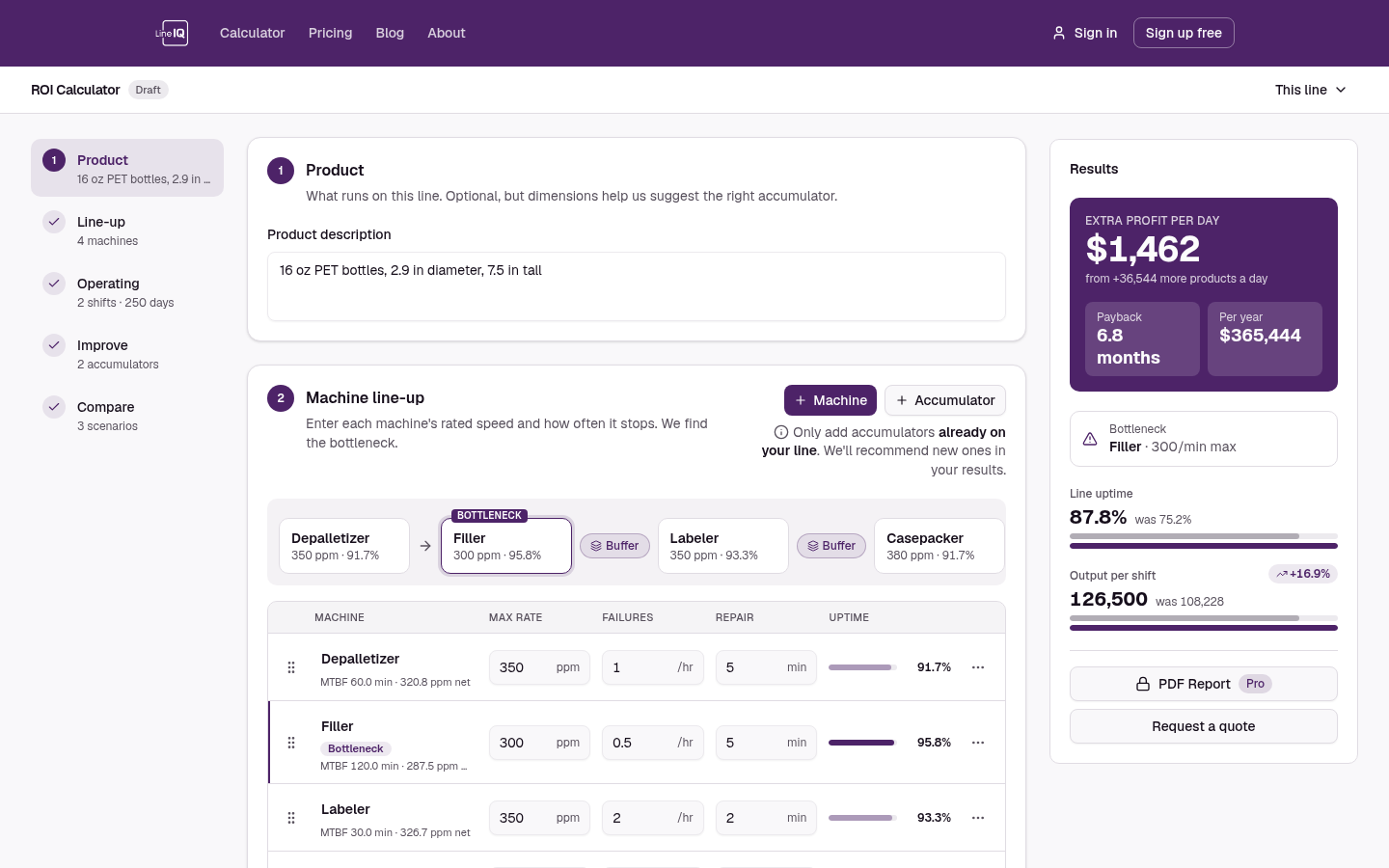
Free answers the question. Pro gives you everything you need to take that answer to someone else: saved lines you can come back to, side-by-side scenarios, a one-page PDF report and clean share links.

Who it's for

Who Pro is for

  • Plant and CI engineers

    Build the capex case for a new machine or accumulator, and hand finance a report that shows the payback.

  • Equipment sales and applications engineers

    Model a customer's line in the meeting, save it, and send a clean PDF report the same day.

What's included

Everything in Free, plus:

  1. 01

    Saved lines

    Save every line and pick up exactly where you left off: every machine, speed, uptime and cost stays with the line.

    • Reopen any line from My Projects
    • Save As to branch a copy for a new idea
    • Lines you saved stay yours if you ever cancel
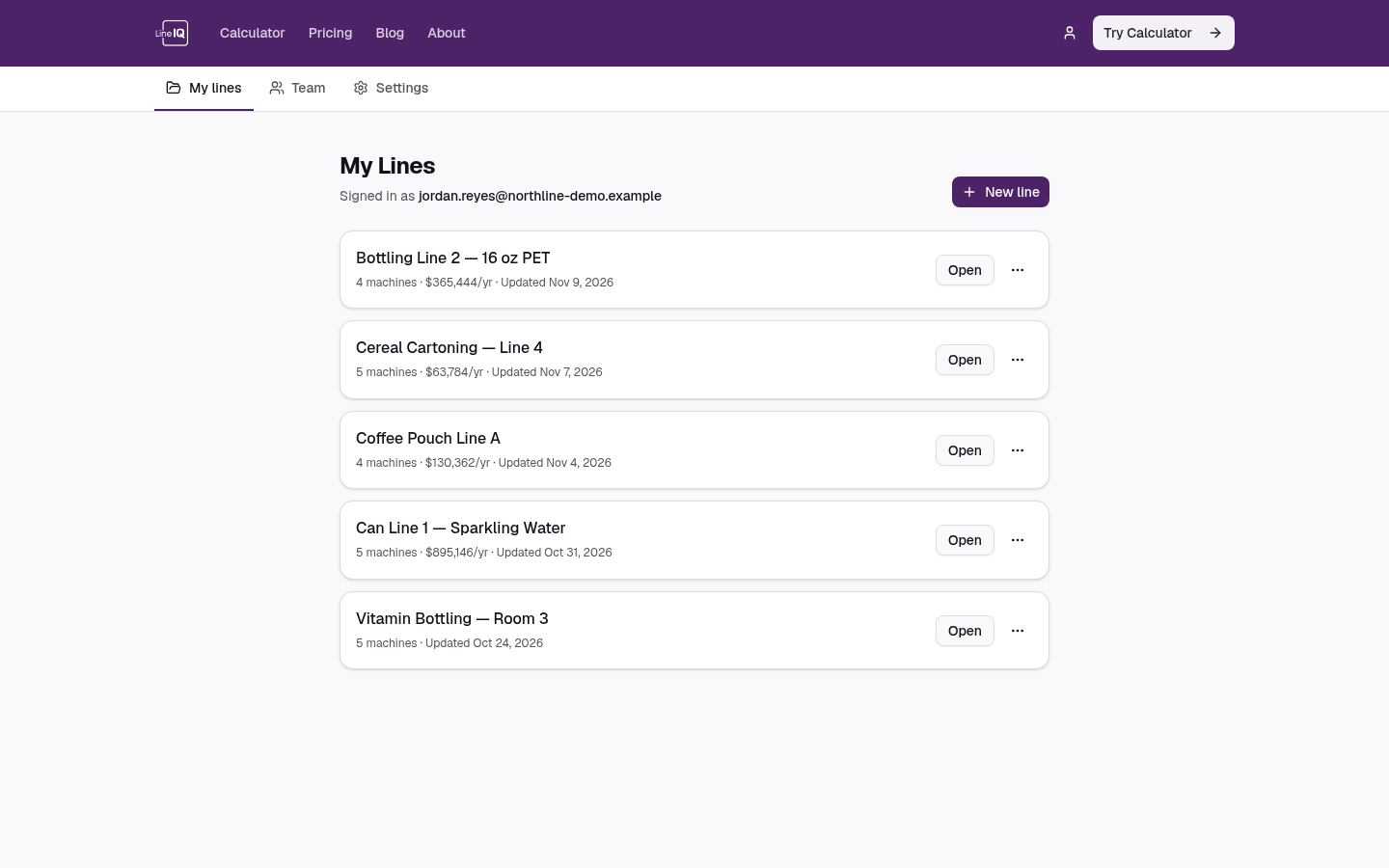
    My Projects page listing five saved packaging lines with their machine count and yearly gain
  2. 02

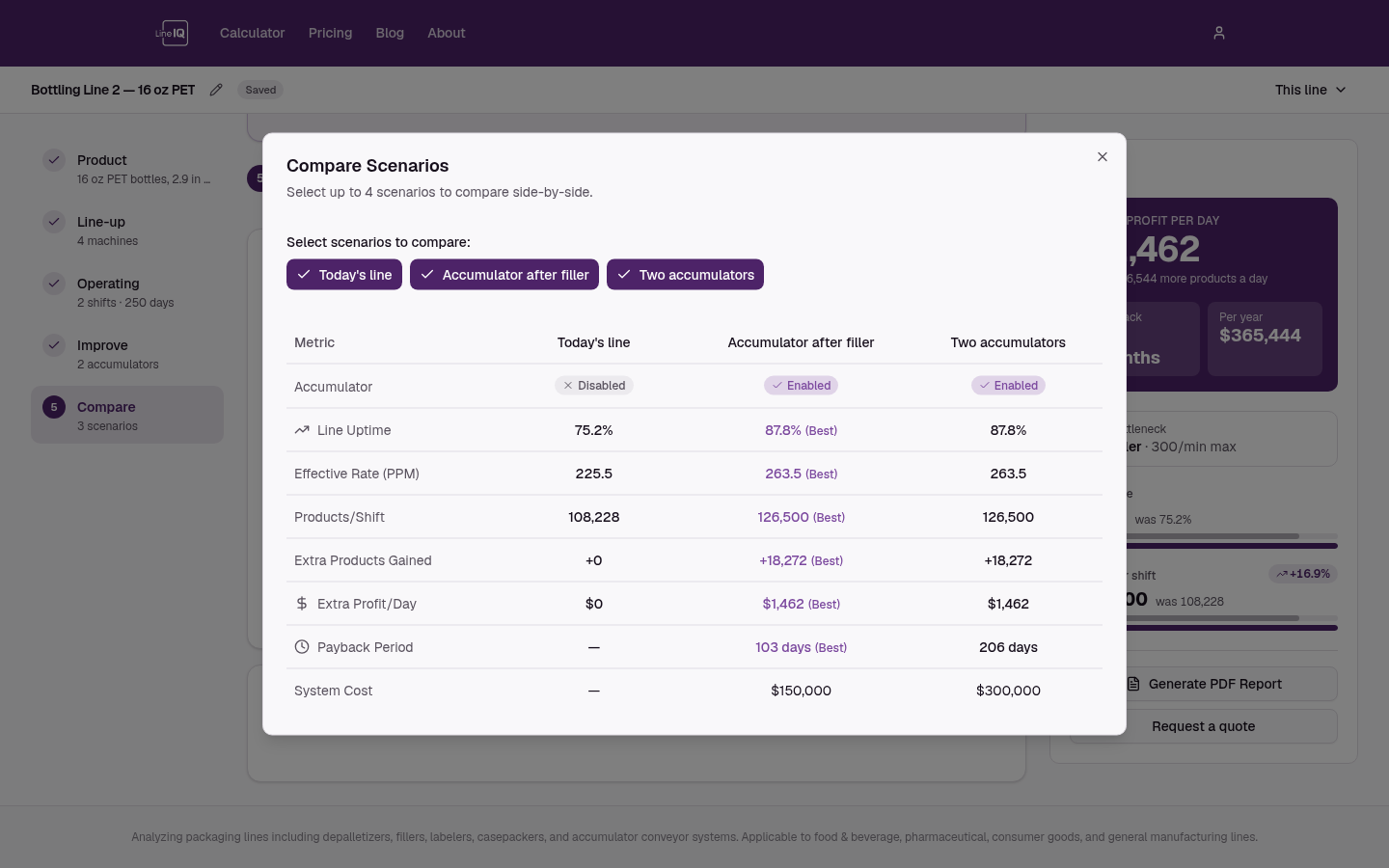
    Scenario comparison

    Compare options side by side, like a faster labeler versus an accumulator, and see which one pays back first.

    • Unlimited scenarios on every saved line
    • Change a shared input once and apply it to all scenarios
    • Output, uptime and payback compared in one table
    Scenario comparison table showing output and payback for three line options
  3. 03

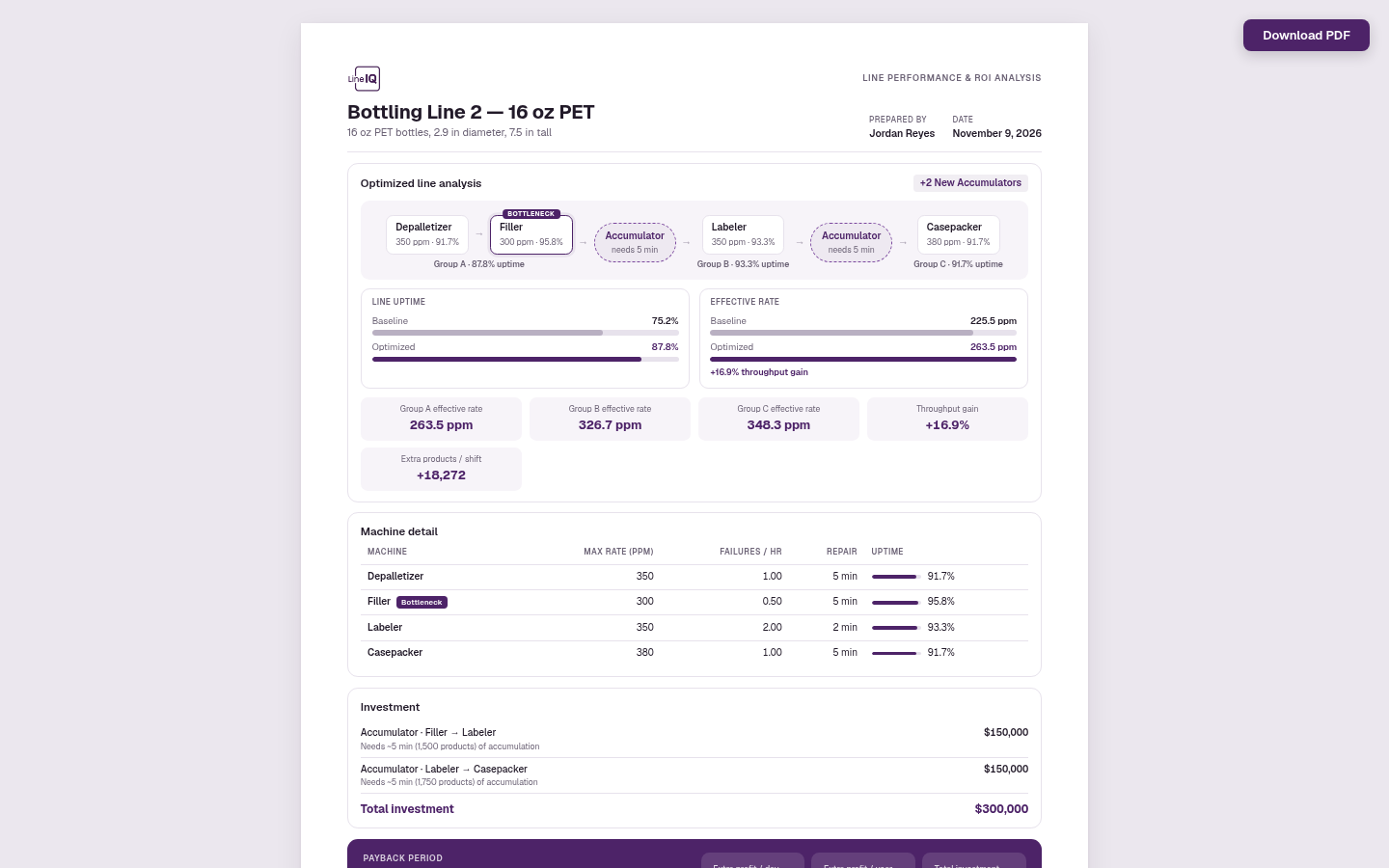
    PDF ROI reports

    A one-page US Letter summary built for an approval meeting: the line analysis, each machine, the investment and the payback.

    • Line flow with today vs. optimized output
    • Machine-by-machine speed, uptime and rate
    • Investment, payback and annual return up front
    One-page LineIQ PDF report with line analysis, machine table and payback summary

Pro questions

Working with others? Team adds a shared line library, your own branding on reports and a manager dashboard.

See Team
Can I try Pro before paying?
The calculator itself is free with an account, so you can check that it fits your lines before upgrading.
What happens to my lines if I cancel?
You keep every line you've saved and can still open them. Saving new lines needs Pro again.
Can I cancel any time?
Yes. Manage or cancel your subscription from Settings, and it stays active until the end of the billing period.